Showing posts sorted by relevance for query Cyanogenmod 13. Sort by date Show all posts

7 Best Free CyanogenMod 13 (CM13) ROM Themes for Your Android Device

Now i will share again about the best free theme pack you can get on Android market (on my opinion) for your Android device running CyanogenMod ROM you. But now, it is CyanogenMod 13 / CM13 theme. Also to all Samsung Galaxy V Android smartphone user, hold tight your panties and stay up to date because CyanogenMod 14.1 / CM14 (Android 7 Nougat) is on developing progress by the developer at XDA now :D .

Here it is in randomly order, the 7 Best Free CyanogenMod 13 / CM13 Theme Pack for your Android device, version Indo PhoneBoy.

  1. HoloCon by "Mayur Agarkar"


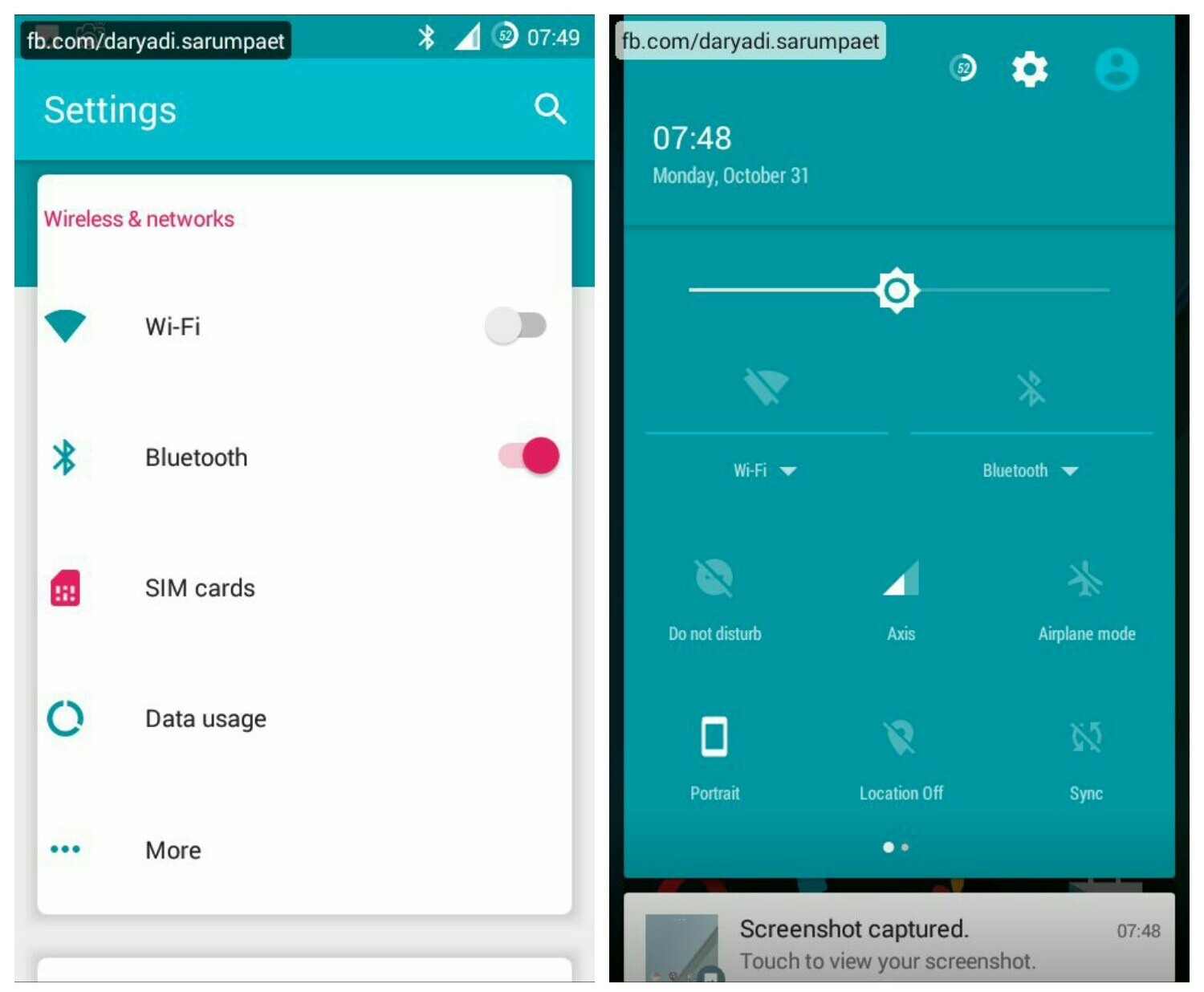
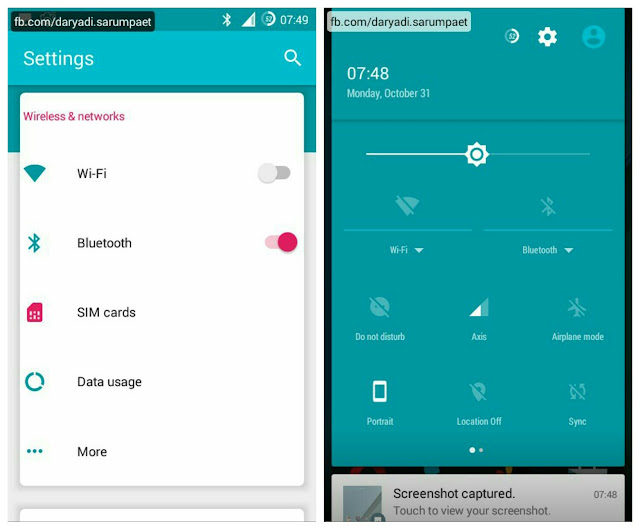
    First there is a nice theme pack for your Android device running CM13 ROM called HoloCon. The setting menu style is designed trully different from another CM13 pack. It using some nice pastel color with Android Nougat sweetness. This theme pack is also compatible with CyanogenMod 12.x / CM12 ROM.

    holocon cyanogenmod 13 cm13 theme homescreen

    holocon cyanogenmod 13 cm13 theme user interface

    HoloCon theme for CM13 customize included:

    - Status bar
    - Font
    - Icons
    - Wallpaper / Lockscreen wallpaper
    - Controls
    - Sounds
    - Boot animation

    -> Download HoloCon CyanogenMod 13 theme.apk (32.7 MB)
  2. My Style by "RTosta"


    My Style is another cool CyanogenMod 13 theme worth to try on your Android device. It make combination of dark, light, and orange accent color and it look clean. What I most like from this theme pack is the status bar icons, it unique compared to others. Especially the battery icon, it's very cool. This theme is also compatible with CyanogenMod 12 / CM12 ROM.

    my style cyanogenmod 13 cm13 homescreen

    my style cyanogenmod 13 cm13 theme user interface

    My Style theme for CM13 customize included:

    - Status bar
    - Font
    - Icons
    - Wallpaper
    - Controls
    - Boot animation

    -> Download My Style CyanogenMod 13 theme.apk (11.4 MB)
  3. GalaxyUI by "ELS Design"


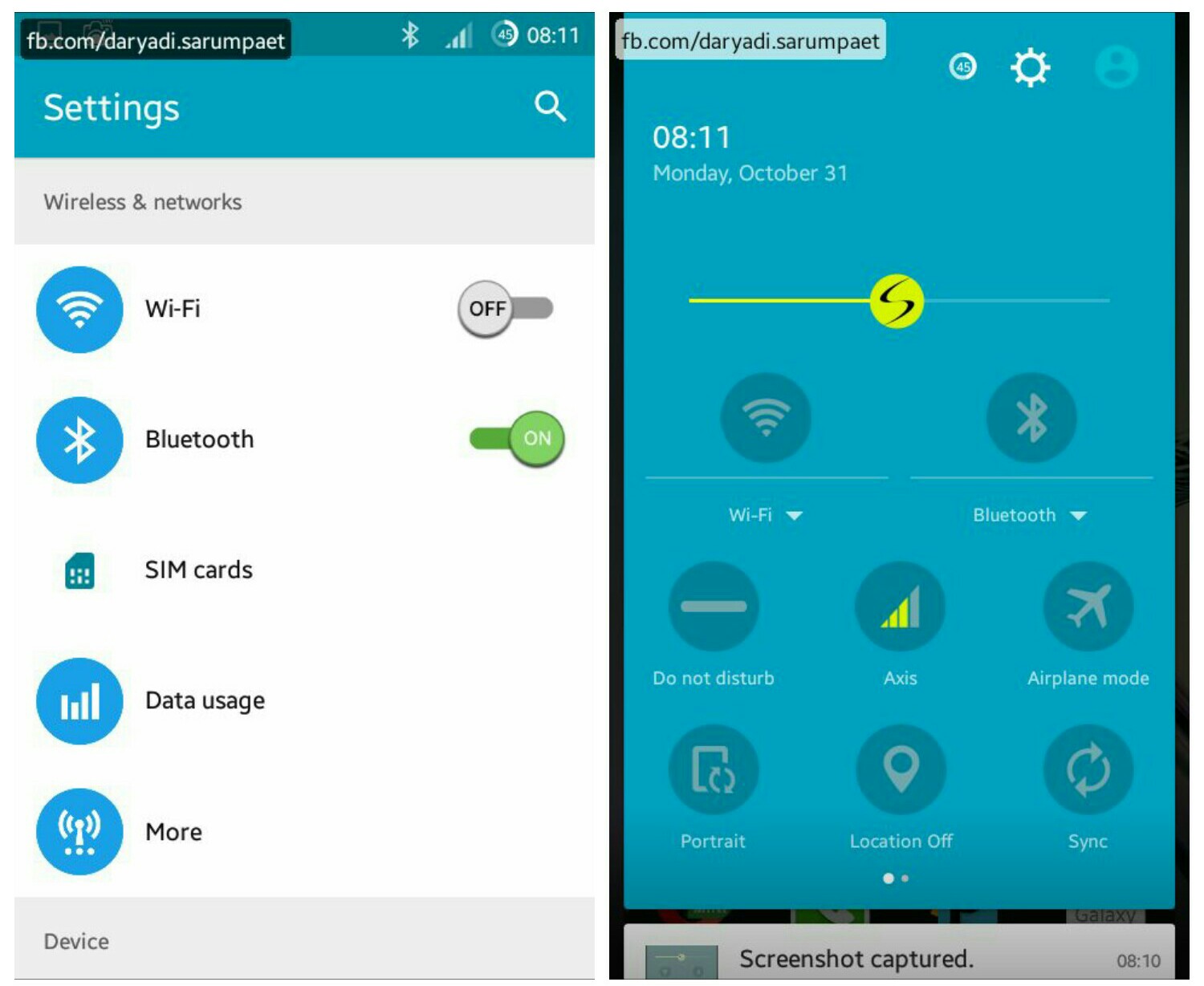
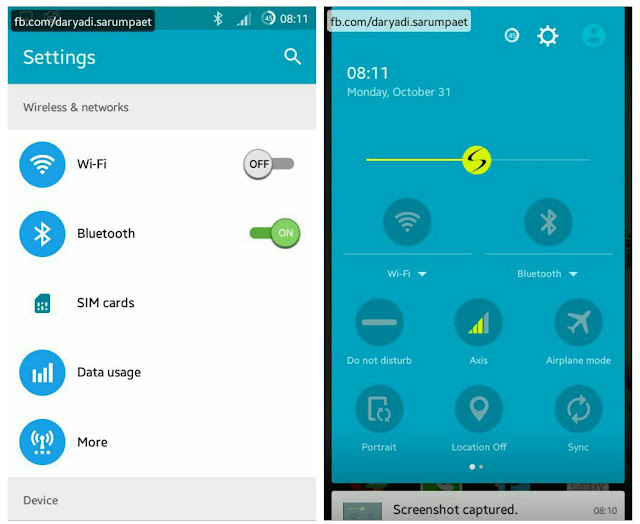
    Now after I kill the Touchwiz from my Samsung Galaxy V Android smartphone why it just make me miss it. And this theme pack can help to ease your missing from the 'Sammy' original User Interface with it's Galaxy styles and icons. It combines from many Galaxy phones style into a one good theme pack for CyanogenMod 13 / CM13 ROM. This theme is also compatible with CM12 ROM.

    galaxyui cyanogenmod 13 cm13 theme homescreen

    galaxyui cyanogenmod 13 cm13 theme user interface

    GalaxyUI theme for CM13 customize included:

    - Status bar
    - Font
    - Icons
    - Wallpaper / Lockscreen wallpaper
    - Controls
    - Sounds
    - Boot animation

    -> Download GalaxyUI CyanogenMod 13 theme.apk (20.7 MB)
  4. Back to Earth by "Craig Dowdall"


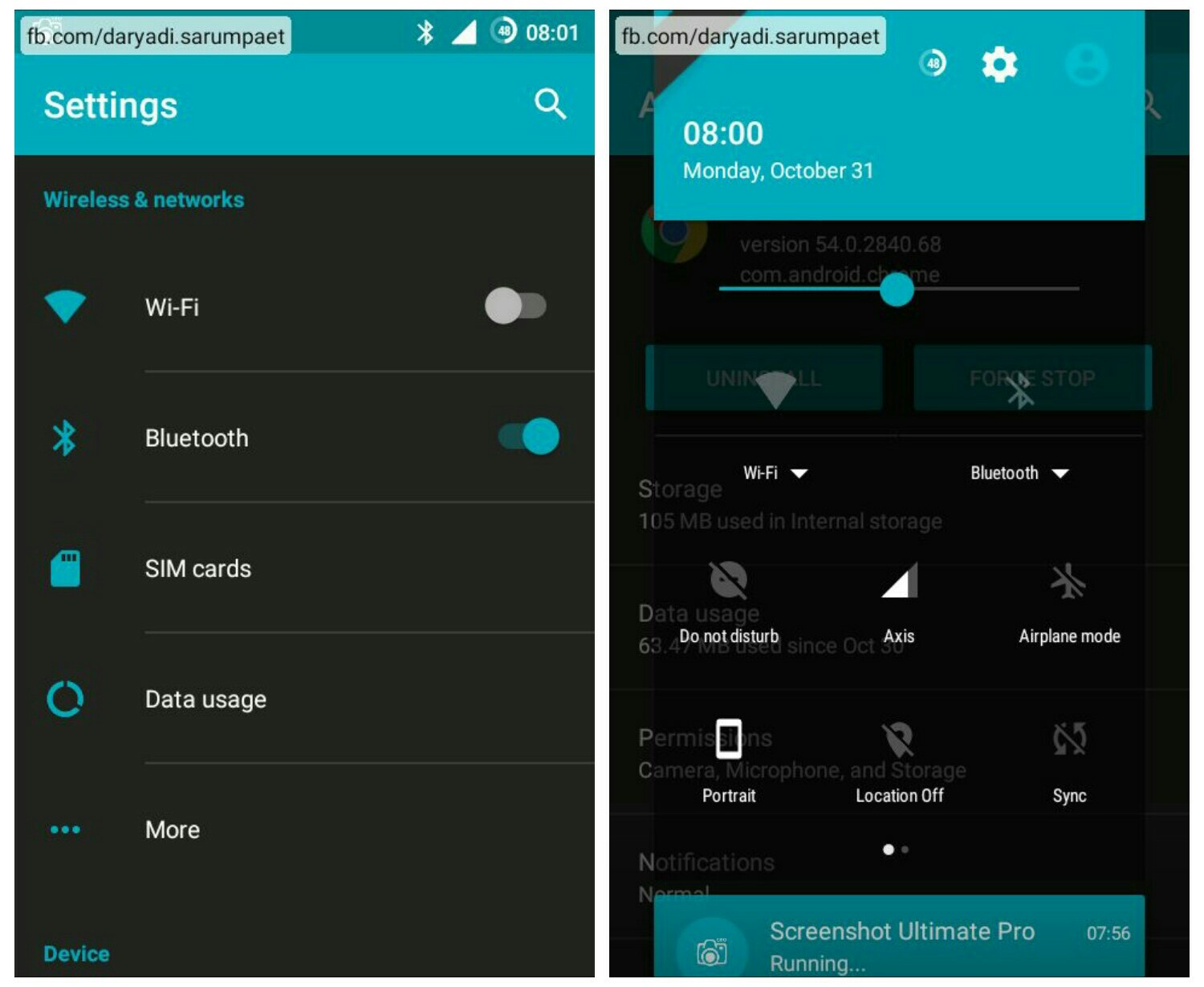
    Now there is a beautifull theme pack called Back to Earth. This theme pack will greenifying your Android smartphone with combination of dark color and cool green - blue spectrum of colors. This theme is also compatible with CyanogenMod 12.x / CM12 ROM.

    back to earth cyanogenmod 13 cm13 theme homescreen

    back to earth cyanogenmod 13 cm13 theme user interface

    Back to Earth theme for CM13 customize included:

    - Status bar
    - Font
    - Wallpaper / Lockscreen wallpaper
    - Controls
    - Boot animation

    -> Download Back to Earth CyanogenMod 13 theme.apk (9.9 MB)
  5. Riggedy Lite by "MODERNDROID"


    Another dark color main theme for CyanogenMod 13 / CM13, called Riggedy Lite. This theme is had it style with simple style and combination of black and navy blue. I think this theme is good, especially for me whose a blue color fans. This theme is also compatible with CM12 ROM.

    riggedy lite cyanogenmod 13 cm13 theme homescreen

    riggedy lite cyanogenmod 13 cm13 theme user interface

    Riggedy Lite theme for CM13 customize included:

    - Status bar
    - Wallpaper / Lockscreen wallpaper
    - Controls
    - Sounds
    - Boot animation

    -> Download Riggedy Lite CyanogenMod 13 theme.apk (6.4 MB)
  6. Xos by "Hassan Al-Hallaq"


    Now there is another nice theme called Xos. Xos is an UI name of Infinix mobile. And so like that, this theme will turn your Android device into the new Infinix Mobile User Interface, believe me :v .

    xos cyanogenmod 13 cm13 theme homescreen

    xos cyanogenmod 13 cm13 theme user interface

    Xos theme for CyanogenMod 13 customize included:

    - Status bar
    - Font
    - Icons
    - Wallpaper / Lockscreen wallpaper
    - Controls
    - Sounds
    - Boot animation

    -> Download Xos CyanogenMod 13 theme.apk (34.2 MB)
  7. Transparent Black by "Gianluca Spadazzi"


    Last but not least, there is the most antimainstream theme pack for your Android device called "Transparent Black". Why I say it's unique, because the background and all of the UI is just transparent like a glass. So everytime we change the wallpapers, the UI background is change also following the wallpaper. This theme is also compatible with CyanogenMod 12 / CM12 ROM.

    transparent black cyanogenmod 13 cm13 theme homescreen

    transparent black cyanogenmod 13 cm13 theme user interface

    Transparent Black theme for CyanogenMod 13 customize included:

    - Status bar
    - Font
    - Icons
    - Wallpaper / Lockscreen wallpaper
    - Controls
    - Sounds

    -> Download Transparent Black CyanogenMod 13 theme.apk (14.7 MB)

* Screenshot and display may differ due to different device model, screen resolution, and screen DPI density setting.

Install its like normal apk. To change your Android device theme running CyanogenMod 13 / CM13 ROM, go to "Settings" -> "Theme", choose your installed theme and apply it as you wish. It is also recommended to restart / reboot your Android device after change the theme to optimize the changes.

And also because CyanogenMod 13 is still a hot ROM, maybe some theme is still have some minor bugs as they are just released / created recently, so an update to the themes is expected in the future.

All the theme is available for free on the Play Store, rate it and give it nice comment if you think it is good.

CyanogenMod 13 Unofficial - Custom ROM Samsung Galaxy V SM-G313HZ / SM-G313H / SM-G313ML

Now let's move our beloved Samsung Galaxy V SM-G3131HZ to the grand final, that is Android 6.0 Marshmallow :v . Out there, there are even more Android smartphone with better specs that have not "tasted" yet the CyanogenMod 13 / Android 6.0 Marshmallow, but it already available for this little device. For a moment, this phone feel like a luckiest phone in the world :D .

CyanogenMod is a custom ROM's (firmware) project based on Android Open Source Project ROM's, with extra contribution from the Android community. It is designed to increase performance and more prioritize to functionality and reliability.

This CyanogenMod 13 / CM13 ROM for Samsung Galaxy V vivalto3gvn (SM-G313HZ / SM-G313H / SM-G313ML) still developed by the same developer who bring CM11 and CM12.1, doesntexist@XDA and ngoquang2708@XDA, so give thanks and big applause to them.

Requirements:
* Already installed custom recovery TWRP
* BACKUP
* Brain :v

Update Changelogs:
Stable 1
* Fixed GPS (except Device Only mode)
* Fixed mobile data switching

cyanogenmod 13 homescreen custom rom samsung galaxy v sm-g313hz

cyanogenmod 13 ram screenshot custom rom samsung galaxy v sm-g313hz

cyanogenmod 13 overall screenshot custom rom samsung galaxy v sm-g313hz

ROM title CyanogenMod 13
contributors doesntexits@XDA, ngoquang2708@XDA
source / thread XDA Forum
ROM OS version Android 6.0.1 Marshmallow
target device SM-G313HZ, SM-G313H, SM-G313ML
download link -> ROM [Stable 1].zip (323 MB)
download: VIA XDA | VIA MEDIAFIRE

-> PICO GAPPS 24/10/16.zip (115 MB)

Steps how to install CyanogenMod 13 ROM for Samsung Galaxy V SM-G313HZ


  1. Power off your Android smartphone, and go into recovery mode
  2. Do a full wipe. Go to "Wipe" -> "Advance wipe". Wipe (tick) the "system", "dalvik / art", "cache", "data", and "internal storage", swipe to confirm wipe.
  3. Installing the ROM. Go to "Install", find where you save the CM13 ROM, install the zip file of CM13 / CyanogenMod 13 ROM and wait untill done.
  4. After the ROM is finish installed, optionally install Google Apps. Pico GAPPS is recommended as it is very simple so it's suitable for our little Samsung Galaxy V device. You can find it at http://opengapps.org, or IF AND ONLY IF you are confuse you can download it from the link i gave at the download link section above. After all are already installed, do "wipe dalvik cache".
  5. Finally, reboot your Android smartphone. Caution! This first boot process may will take very-very loooooooong time (maybe it take about 20 minutes or more).

Known bugs:
- FM radio is unusable.
- Distorting sound on Calls when using bluetooth headset.

How to Enable Root or Superuser Access on Android Devices Running CyanogenMod ROM

Root is the first step when an Android user decide to journey in the Android hacking and tweaking world. By rooting an Android device, we can open the whole system and possibilities become unlimited. One of the most reason why user want to root their Android device is to installing a custom ROM. Now, for you who are using CyanogenMod ROM on your Android device and want a root mode / access, here is the easy steps to unlock the root mode on CyanogenMod ROMs.

manage root access cyanogenmod 13 rom

How to unlock root mode on Android device running CyanogenMod ROMs


  1. To unlock root mode on Android device which running CyanogenMod ROM, we must unlock the "Developer option". Go to "Settings" menu
  2. Scroll down and select "About phone"
  3. Look for "Build number", then tap rapidly on it for about 7 - 10 times. If you're done it right, there should be appear message "you have enabled developer option".

    tap rapidly build number unlock root android cyanogenmod rom
  4. Now back to "Settings" menu, you will see "Developer option" option, choose it.

    select developer option unlock root android cyanogenmod rom
  5. Scroll down slowly to find "Root Access", tap it. Then choose / select "Apps and ADB".

    select root access unlock root android cyanogenmod rom

    choose apps and adb unlock root android cyanogenmod rom
  6. Done! From now on if you run an application that asking for superuser permission, it will appear menu where you can grant or deny it's superuser permission request.

CyanogenMod 12.1 Unofficial [BETA-3] - Custom ROM Samsung Galaxy V SM-G313HZ / SM-G313H / SM-G313ML

Long time no post ... Now i back with a happy news for your All Samsung Galaxy V SM-G313HZ Android users, which is another popular firmware or custom ROM that is Cyanogenmod 12.1. With this ROM (or firmware), our beloved vivalto3gvn device will be able upgrade the Android OS version to LOLLIPOP LOLLIPOP, LOLLI LOLLI LOLLI LOLLIPOP LOLLIPOP, LOLLI LOLLI LOLLIPOP :v .

Actually the ROM is already developed months back ago, started by the same developer of CM11 for Galaxy V doesntexits@XDA. But because this only personal blog (not a devs blog), i'm just waiting the stable enough version for all people to use it, and in fact this developer also ngoquang2708@XDA says the developing of this CM12.1 for Samsung Galaxy V SM-G313HZ will be stopped due to his focus developing Cyanogenmod 13 for Galaxy V (it's the hottest android Marshmallow AMAZING :v ).

Few days i try this CM12.1 ROM on my Samsung Galaxy V SM-G313HZ, i am very satisfied with it. It's already stable i think, the fastest ROM i have ever used and there is no word except Amazing!!! Great work from the developers. Yeah because the developed is stopped at BETA-3 state, so there will be little bug maybe (but it's just minor and not very important i think).

Requirements
* Already installed custom recovery TWRP
* BACKUP
* Brain :v

cyanogenmod 12.1 unofficial custom rom samsung galaxy v sm-g313hz homescreen screenshot

cyanogenmod 12.1 unofficial custom rom samsung galaxy v sm-g313hz ram running apps screenshot

cyanogenmod 12.1 unofficial custom rom samsung galaxy v sm-g313hz notification drawer screenshot

cyanogenmod 12.1 unofficial custom rom samsung galaxy v sm-g313hz overview screenshot

ROM title Cyanogenmod 12.1
author doesntexits@XDA, ngoquang2708@XDA
source / thread XDA Forum
ROM OS version Android 5.1.1 Lollipop
target device SM-G313HZ, SM-G313H, SM-G313ML
download link -> ROM
- BETA-3 Update 1.zip (253 MB) - 28/5/2016
Download: [VIA XDA]

-> Google Apps
Download: PICO GAPPS.zip (62.3 MB)

How to install Cyanogenmod 12.1 ROM on Samsung Galaxy V SM-G313HZ


  1. Power off your Android smartphone, and go into recovery mode
  2. Do a full wipe. Go to "Wipe" -> "Advance wipe". Wipe (tick) the "system", "dalvik / art", "cache", "data", and "internal storage", swipe to confirm wipe.
  3. Installing the ROM. Go to "Install", find where you save the CM12.1 ROM, Install the zip file of CM12.1 and wait untill done
  4. After the ROM is finish installed, optionally (recommended) install Google Apps. Pico GAPPS is recommended as it is very simple so it's suitable for our little Samsung Galaxy V device. You can find it at http://opengapps.org, or IF AND ONLY IF are you confuse you can download it from the link i gave at the download link section above. After it is already installed, "wipe dalvik cache"
  5. Finally, reboot your Android smartphone. Caution! Because Android Lollipop is using different runtime which is ART and our device is only have singlecore processor, so the "optimizing apps" process will take very-very loooooooong time (maybe it take about 20 minutes or more).

Known Bugs
* [SM-G313ML] mobile data not work. But i heard it already solved by the guys, so check the original thread.
* Switching other fonts directly will get bootloop. But i try change the font with app called "iFont" and use it on "root mode", and it works great no problem.
* Distorted sound on calls when using bluetooth headset.

Xposed Framework Installer for Android 6.0 Marshmallow / CM13 ROM

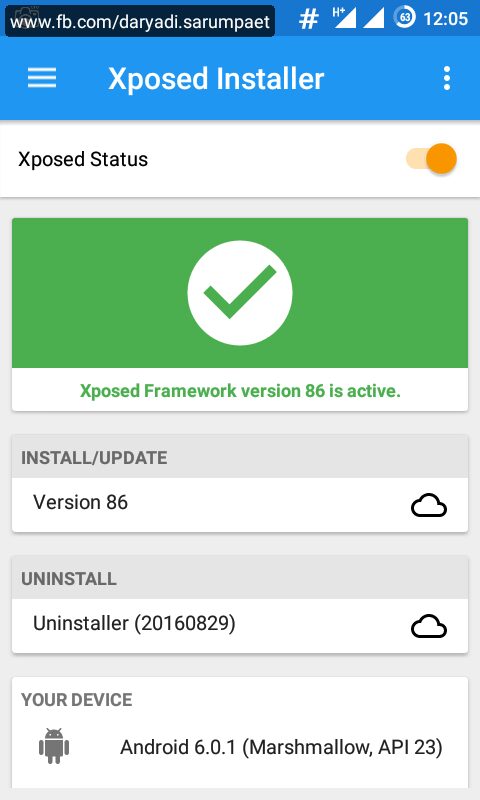
Allright, now here is the official Xposed Framework Installer for you who use phone with Android 6.0 Marshmallow version. This Xposed for Marshmallow has been tested by me on an unofficial CyanogenMod 13 (CM13 ROM) on Samsung Galaxy V SM-G313HZ, and work like a charm.

As we know, the Xposed for Android Lollipop (SDK21 and SDK22) and Marshmallow (SDK23) is different from Kitkat version. The installation of the Framework must be flashed through recovery mode (TWRP recommended). Untill now, the development of Xposed by the developer Rovo89@XDA is still going on and already come to ALPHA state.

Requirements:
Rooted
Custom Recovery installed
• Considering backup

xposed v 3.1 for android lollipop and marshmallow up

How to install Xposed Framework Installer on Android Marshmallow (tested on CyanogenMod 13 ROM)


  1. Power off your Android smartphone, and boot into recovery mode.
  2. Just straight install the Xposed Framework.zip file through recovery (download link at the end of post). After done, wipe dalvik cache and reboot your Android smartphone. Caution! This first reboot time might take a very loooooooong time (on my Samsung Galaxy V it need more less 30 minutes to 1 hour for this first reboot.
  3. After reboot, just install the Xposed.apk for the Android Lollipop up. And finally your Android Marshmallow smartphone is ready to rock with Xposed and the modules!
  4. If your Android phone suffer a soft brick or you want to remove xposed framework, then just boot back to recovery mode and try to flash (install) the Xposed Uninstaller.zip file.

Xposed + Framework Installer for Android 6.0 Marshmallow (SDK23) download link


The framework zip flashable are only for advanced users. If you don't have idea what hardware type your Android device is, then you can skip this section and READ DETAILED on XPOSED APK section

Choose the proper file based on your hardware type. Samsung Galaxy V is an ARM based device.

Xposed Framework.zip


Download: ARM | ARM64 | x86

Xposed Uninstaller.zip


Download: ARM | ARMv5 | ARM64 | x86

Xposed.apk


Update changelog:
V 3.1
- Material Design
- Download the correct framework ZIP for your architecture/Android version
- Install/uninstall Xposed directly from the app, no custom recovery required (but obviously you must still make sure that you can reflash your ROM in case something goes wrong!)
- Many changes under the hood for better stability, compatiblity and code quality

# XPOSED v. 3.1.apk (2.8 MB) | 16/10/2016


Check out the original thread by Rovo89 at XDA Forum.